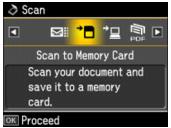
You can scan a photo or document and save it on a memory card or USB storage device in JPEG or PDF format.
|
1.
|
Insert a memory card in one of the memory card slots or connect a USB storage device to the
 USB port on the front of the Artisan 710 Series. USB port on the front of the Artisan 710 Series. |
|
2.
|
|
3.
|
|
4.
|
|
•
|
|
•
|
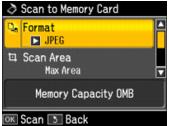
Select Scan Area and choose Max Area (for most photos) or Auto Cropping (for photos with dark edges).
|
|
•
|
|
•
|
|
6.
|
Press OK to scan and save your photo or document on the memory card. Your file will be saved in a numbered folder in the EPSCAN folder.
|