You can create a speed dial list of up to 60 fax numbers so you can quickly select them for faxing. You can also print the list for easy reference.
|
1.
|
|
2.
|
 or
or  , then select
 |
3.
|
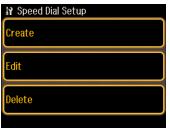
Select Speed Dial Setup.
|
|
4.
|
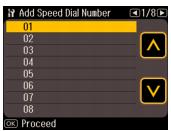
Select Create. You see the available entries:
|
|
5.
|
Select the number of the entry you want to add, then press OK. You can have up to 60 entries.
|
|
6.
|
|
7.
|
Use the fax keypad to enter a name (up to 30 characters) to identify the speed dial entry, then press OK. You return to the Speed Dial Setup menu.
|
|
8.
|
If you want to add another speed dial entry, select Create and repeat the steps above.
|
|
1.
|
Select Edit from the Speed Dial Setup menu. You see your list of speed dial entries.
|
|
3.
|
|
4.
|
|
1.
|
Select Delete from the Speed Dial Setup menu.
|
|
1.
|
|
2.
|
|
3.
|
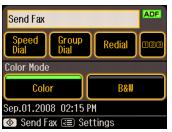
Select Speed Dial List.
|
|
4.
|
Make sure letter-size paper is loaded, then press
 Start to begin printing the list. Start to begin printing the list. |