|
1.
|
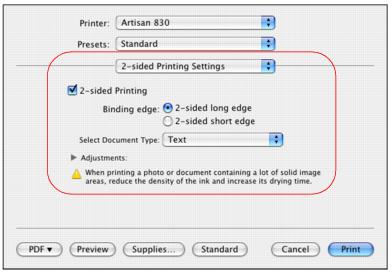
Select 2-sided Printing Settings from the pop-up menu.
|
|
2.
|
Select 2-sided Printing.
|
|
5.
|
If necessary, click Adjustments to adjust the print density and drying time to prevent ink from bleeding through the page when you print on plain paper.
|