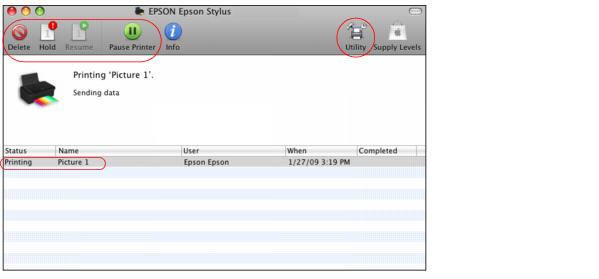
During printing, you can view the progress of your print job, control printing, and monitor ink levels.
|
1.
|
Click the EPSON Stylus NX110 icon when it appears in the dock at the bottom of the screen.
|
|
•
|
To pause printing for a specific print job, click the print job and click Hold. To resume printing, click the print job marked “Hold” and click Resume.
|
|
•
|
To pause printing for all print jobs, click Pause Printer.
|
|
•
|
If you see an error during printing, see Solve Problems for solutions.