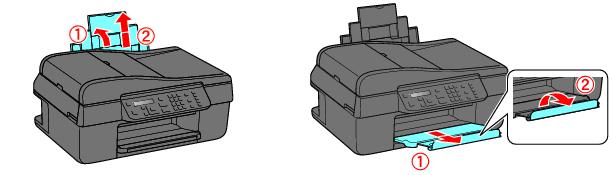
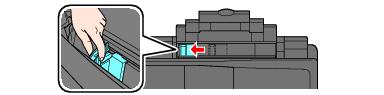
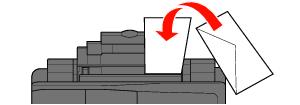
Load Envelopes You can print on envelopes in 4 1/8 × 9 1/2 inch (#10) size. 1. Open the paper support and pull up the extension. 2. Pull out the output tray extensions, and flip up the paper stopper. 3. Pinch the edge guide and slide it to the left. 4. Load up to 10 envelopes against the right side and behind the tab. Load them printable side up with the flap to the left. Tip:Press each envelope flat before loading it or load one envelope at a time. 5. Slide the edge guide to the edge of the envelopes, but not too tightly. Note:If print quality declines when a stack of envelopes is loaded, load one envelope at a time. See also: Load Paper for Photos Load Paper for Documents