|
•
|
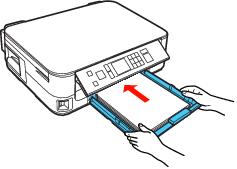
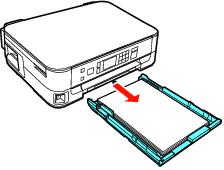
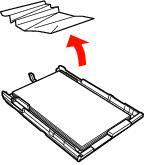
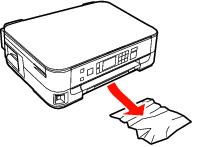
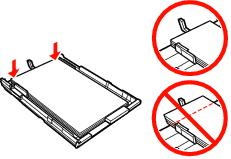
If paper doesn’t feed, remove it from the paper cassette. Fan it, stack and align the edges, and reload it. Make sure the paper is not above the
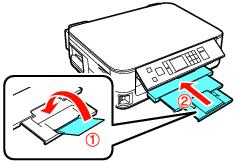
 arrow marks on the edge guides. Make sure the output tray extensions are fully extended. arrow marks on the edge guides. Make sure the output tray extensions are fully extended. |
|
•
|
If multiple pages feed at once, remove the paper from the paper cassette, fan the edges to separate the sheets, then reload it.
|
|
•
|
Load only up to the recommended number of sheets. If you’re printing on both sides of the paper, try loading fewer sheets.
|
|
•
|
Use new, smooth, high-quality paper, that is not curled, creased, old, or too thin. Make sure to load it printable side up.
|
|
•
|
If the paper doesn’t eject fully, you may have set the wrong paper size. Press the
 Start button to eject the paper. Select the correct paper size when you reprint. Start button to eject the paper. Select the correct paper size when you reprint. |


Caution:
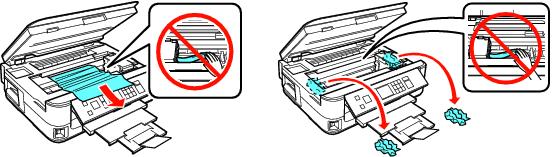
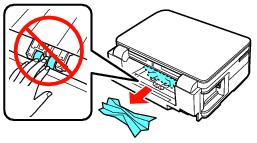
Be careful not to damage the cables inside the printer. Do not attempt to move the print head by hand.
Be careful not to damage the cables inside the printer. Do not attempt to move the print head by hand.


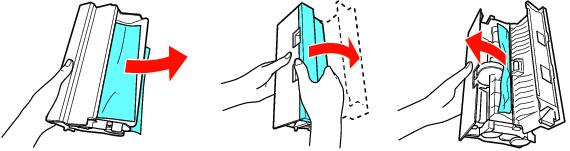


Note:
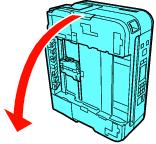
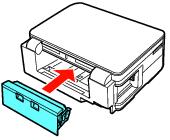
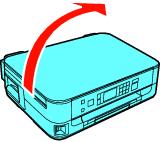
If you weren’t able to pull out the paper cassette in step 2, carefully pull it out after standing the printer on its side.
If you weren’t able to pull out the paper cassette in step 2, carefully pull it out after standing the printer on its side.