You can print a nozzle check pattern to check for clogged nozzles using your product’s control panel or your software. See these sections below:
|
1.
|
Load a few sheets of plain paper in cassette 1.
|
|
2.
|
 if necessary and select
 |
3.
|
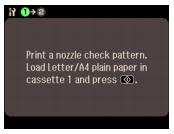
|
4.
|
 .
.
|
1.
|
Load a few sheets of plain paper in cassette 1.
|
|
2.
|
Windows:
Right-click the  printer icon in the bottom right corner of your screen (the taskbar) and select Nozzle Check. printer icon in the bottom right corner of your screen (the taskbar) and select Nozzle Check. |
Macintosh:
Open the Applications folder, open the Epson Software folder, and select Epson Printer Utility 4. Then select Nozzle Check.
Open the Applications folder, open the Epson Software folder, and select Epson Printer Utility 4. Then select Nozzle Check.
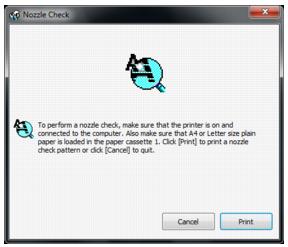
|
3.
|
Click Print.
|

|
5.
|
If there are no gaps, click Finish.
|