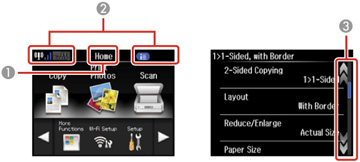
| 1 |
Displays the screen name |
| 2 |
Displays product status information; tap the icons
to display additional menus or information |
| 3 |
Swipe this area of the LCD screen to scroll up and
down |
To view a list of the icons and a description of their use,
select Help >
Icon List.