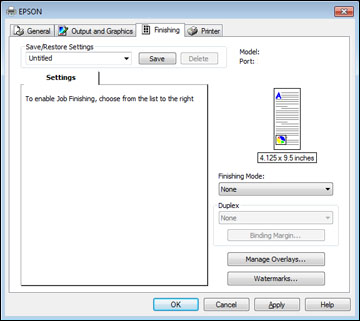
- Select
one of the following Finishing Mode
options:
- To print multiple pages on each sheet of paper, select the N-Up option.
- To create a booklet that can be folded or bound, select the Booklet option.
- To adjust the printed size of your document or photo, select the Scaled option.
- To print your document or photo across multiple sheets of paper, select the Poster option.
- Adjust the various options that appear in the Settings box as necessary.
- To create or load a text or graphic overlay, click the Manage Overlays button and select the options as necessary.
- To add a watermark to your document or photo, click the Watermarks button and select the options as necessary.