A message appears on the control panel when the White ink tube needs washing.
The Eco method requires a Tube Cleaning Kit to wash
the tubes and is performed daily (about every 20 hours) and any
time the printer is powered-off after a print has been made.
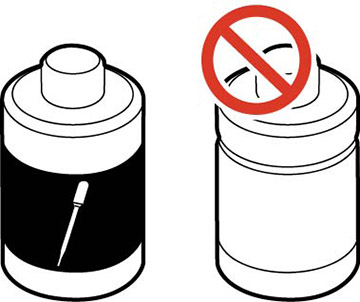
Caution:
Do not use the ink cleaning solution that is
provided with the maintenance and print head cleaning kits to wash
the ink tubes. The printer may malfunction.
Note: If the
suction cap is coated with ink, clean it before starting the Eco
method tube wash.
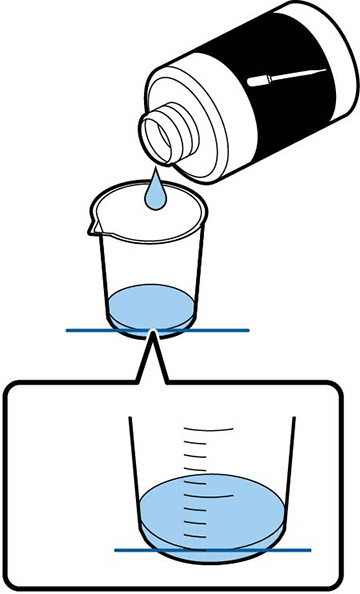
- Pour
about 0.33 ounce (10 ml) of tube cleaning liquid into the
cup.
Note: Do not use more than 0.33 ounce (10 ml) of tube cleaning liquid or the printer's maintenance tank my overflow.
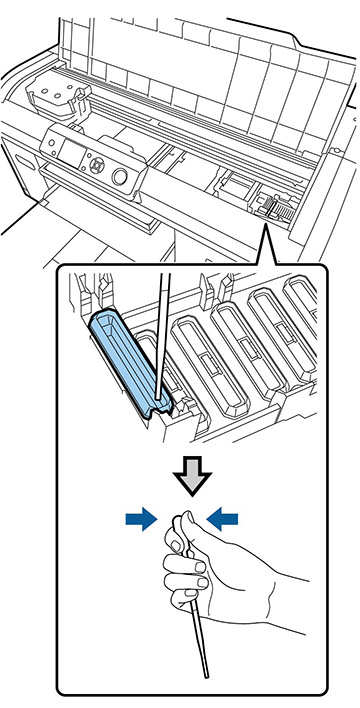
- Squeeze the top of the dropper, insert the dropper into the cup, and release the top of the dropper to fill it with tube cleaning solution.
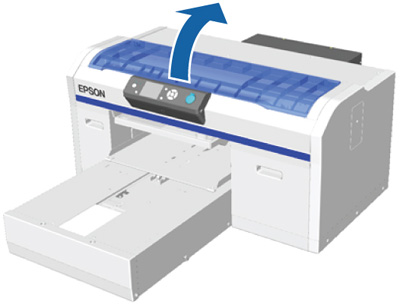
- Open the printer cover.
- When the
message on the LCD screen tells you to inject tube cleaning
solution into the suction cap, press the down arrow button and
follow the instructions on the screen.
Note: Make sure the tube cleaning solution does not drip onto the anti-drying caps to the right of the suction cap. If any cleaner does drip, wipe it off with a cleaning cloth. If tube cleaning solution is left on the anti-drying caps, the print head nozzles could become clogged.