If you have problems with paper jams, try these solutions:
- Cancel the print job from your computer, if necessary.
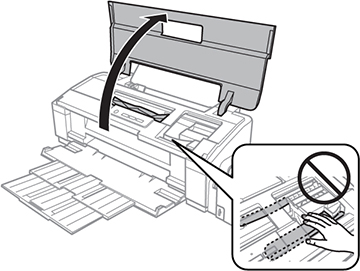
- Open the
printer cover and remove the jammed paper and any torn pieces.
Note: Do not touch the flat white cable and ink tubes inside the product.
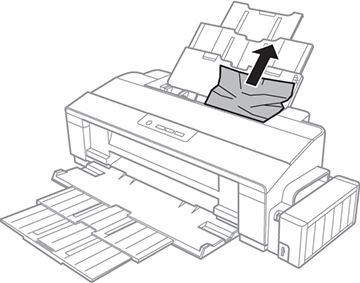
- Close the printer cover. Carefully remove any jammed paper from the rear paper feed.
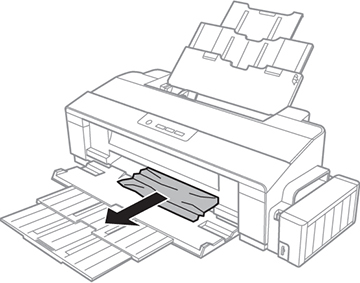
- Carefully remove any jammed paper from the output tray.
- Carefully follow all paper loading instructions when you load new paper.
- Press the
 paper button to resume
printing.
paper button to resume
printing.
 power
power