You can
select printer language and interface settings using the control
panel on the product.
Note: These
settings can be locked by an administrator. If you cannot access
these settings, contact your administrator for
assistance.
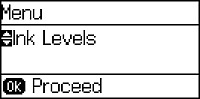
- Press the up or down arrow buttons, select Menu, and press the OK button. You see a screen like this:
- Select System Administration and press the OK button. Enter the administrator password, if necessary.
- Select Printer Settings. You see a screen like this:
- Select the Printing Language and other settings you want to use.