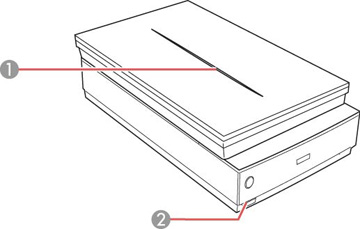
| Scanner cover light |
Blue |
On |
Scanning transparencies (such as film or
slides) |
| — |
Off |
Scanning reflective documents (such as
photographs) |
| Scanner light |
Green |
On |
The scanner is turned on and ready to scan |
| Flashing |
The scanner is scanning or initializing |
| Red |
Flashing |
An error has occurred. Try the following:
- Make sure
the scanner connection to your computer is secure.
- Make sure
your scanning software is installed correctly.
- Make sure
the transportation locks are unlocked.
- Turn off the
scanner, then turn it on again. If the light is still flashing red,
the scanner may be malfunctioning. Contact Epson for support.
|
| — |
Off |
The scanner is turned off. |