Loading Paper for Photos
You can print photos on a variety of paper types and sizes.
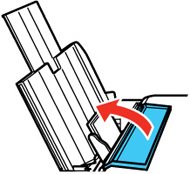
Flip the feeder guard forward.
Pull up the paper support and its extension.
Pull out the output tray and open the paper stopper on the end.
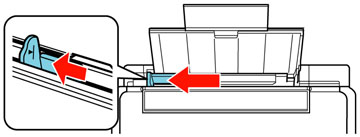
Slide the edge guide left.
If you are inserting a stack of paper, fan the sheets first and tap the stack on a flat surface to even the edges.
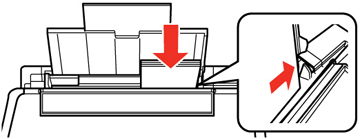
Insert paper, glossy or printable side up and short edge first, against the right side.
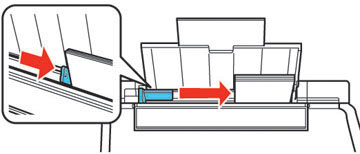
Slide the edge guide against the paper, but not too tightly.
Flip the feeder guard back.
Always follow these paper loading guidelines:
Load only the recommended number of sheets.
Load paper short edge first, no matter which way your photo faces.
Do not load paper above the arrow mark inside the edge guide.
Check the paper package for any additional loading instructions.
Parent topic:
Loading Paper
Related references
Paper Loading Capacity
Available Epson Papers