You can load
envelopes and paper up to this size in the rear paper feed:
Legal (8.5 × 14 inches
[216 × 357 mm]).
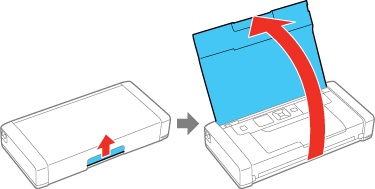
Lift up
and open the printer cover.
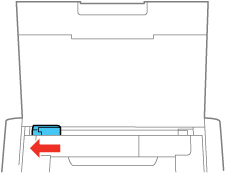
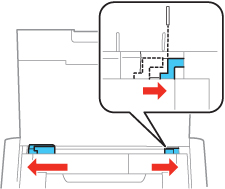
Slide
the edge guide to the left.
Do one
of the following:
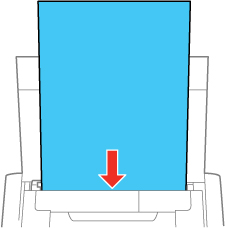
Load paper in
the rear paper feed behind the tabs, with the glossy or printable
side faceup.
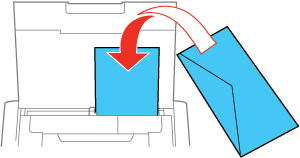
Load an
envelope with the flap edge facedown and to left, as shown.
Load one
sheet of loose-leaf paper (or other paper with holes along the
sides) with the glossy or printable side faceup.
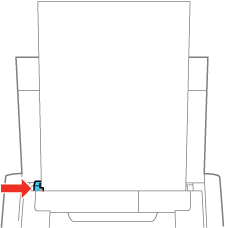
Slide
the edge guide against the paper, but not too tightly.
Note: Make sure
the paper fits under the tab on the edge guide. If you cannot move
the edge guide, make sure the part on the right side is in the
correct position. Slide the edge guide all the way left and the
part on the right side all the way right, then try again.
Select
the size and type of paper you just loaded on the product LCD
screen.
Always follow
these paper loading guidelines:
Load only the
recommended number of sheets.
Load paper short
edge first and printable side faceup.
If you have
trouble loading envelopes, press each envelope flat before loading
it.
Check the paper
package for any additional loading instructions.