Make sure
you have new ink bottles handy and have read the ink safety
precautions before you begin.
You can continue to use the product even if one or more ink tanks are not filled all the way. However, for the most accurate ink level monitoring, fill all the ink tanks up to the top line.
Caution:
Wear plastic gloves while refilling the ink
tanks to avoid staining your hands.
- Make
sure the
 power light is on, but not
flashing.
power light is on, but not
flashing. - Press the
 Iniciar
Color button.
Iniciar
Color button.
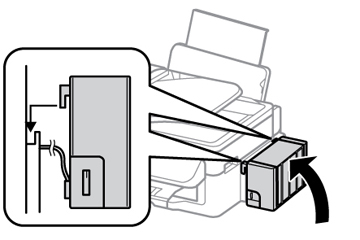
- Unhook
the ink tank unit from the product and lay it down.
Note: Do not pull the ink tubes.
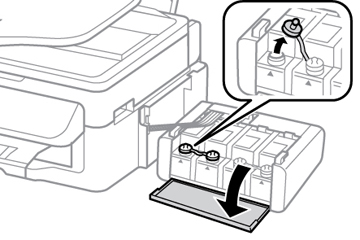
- Open the
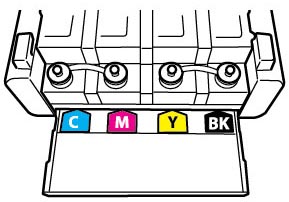
ink tank unit cover, then remove the ink tank’s cap.
Note: Make sure the color of the ink tank matches the ink color you want to refill, and only remove the cap from that ink tank. Be careful not to spill any ink.
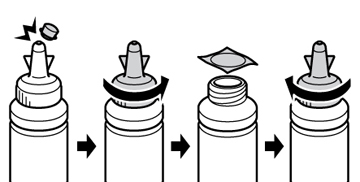
- Snap off
the tip of the bottle cap, but do not dispose of it so you can use
it to seal the bottle cap later, if necessary. Then remove the
bottle cap and carefully remove the protective seal (avoid touching
the ink underneath the seal), then close the bottle cap
tightly.
Caution:
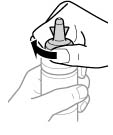
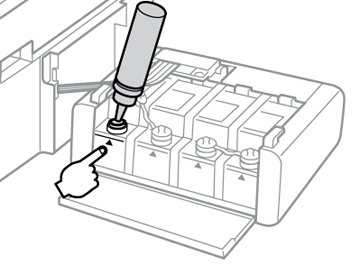
- Refill the ink tank with the correct color ink up to the upper line on the ink tank.
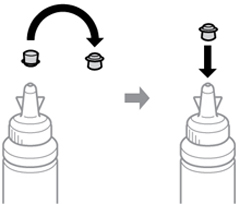
- If any ink remains in the ink bottle after filling the ink tank, place the bottle cap tip securely on the bottle cap and store the ink bottle upright for later use.
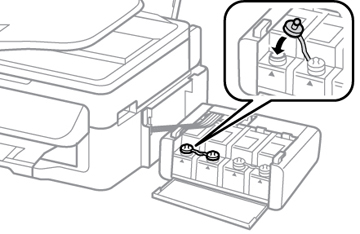
- Place the cap securely on the ink tank.
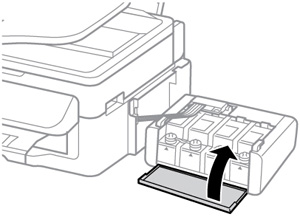
- Close the ink tank unit cover.
- Hook the ink tank unit onto the product.