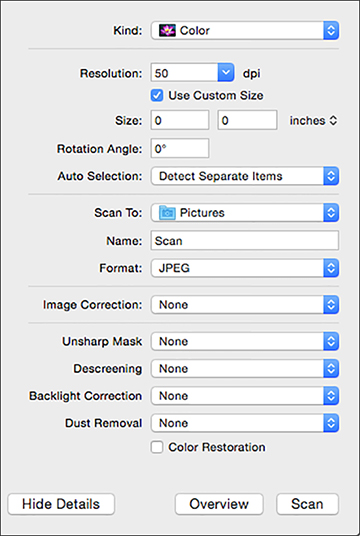
With OS X,
you can scan with your product using an image-editing application
such as Image Capture.
Open an
image editing application, such as Image Capture.
Select
your Epson product from the DEVICES
or SHARED list, if necessary. (You
may need to hover over the DEVICES
or SHARED list, click Show, and select your product.)
If you
see the Show Details button, click
it. If you are scanning an item on the scanner glass, your
product begins a preview scan.
Select
the Scan Mode setting indicating
where you placed your original (if available). Select any other
available scan settings as necessary.
Select
the folder in which you want to save your scanned file in the
Scan To pop-up menu.
Click
Scan. Your
scanned file is saved in the folder you selected.