To prevent
sedimentation and incorrect colors in your printed media, stir the
High Density Black ink in the ink tank once a week.
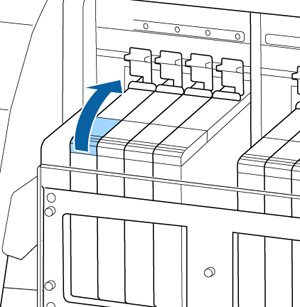
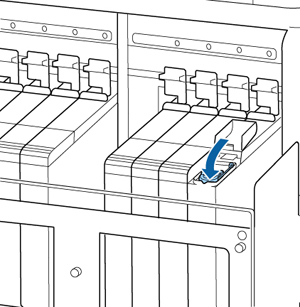
- Open the ink inlet cover for the High Density Black ink shown here.
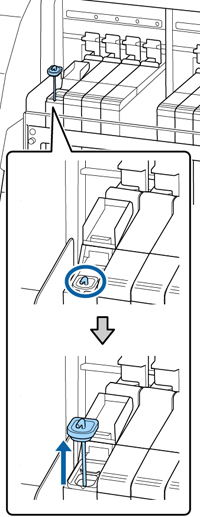
- Grasp the loop at the top of the ink inlet cap and slowly remove the ink inlet cap.
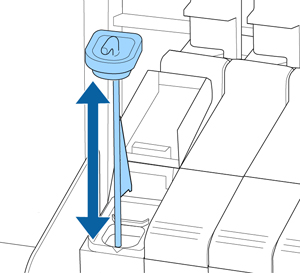
- Move the stirring stick up and down 15
times. Insert the stick completely into the ink tank and raise the
stick up to the top each time.
Caution:Move the stick slowly and steadily, or ink may splatter.
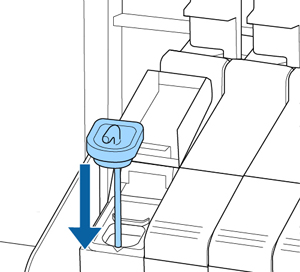
- Insert the stirring stick into the ink
tank and replace the ink inlet cap
Caution:Press the ink inlet cap down firmly. If the slider comes into contact with the ink inlet cap when pulling it out, the cap could get damaged.
- Close the ink inlet cover.