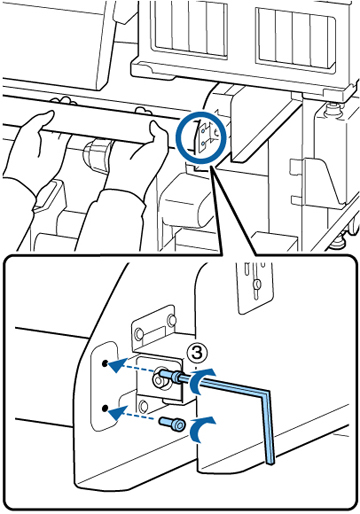
If you
removed the media guide bar, follow these steps to attach it to
your product.
Caution:
Attaching the media guide bar requires at
least two people.
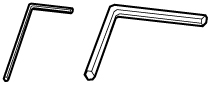
- Locate the two hexagon wrenches that came with your product.
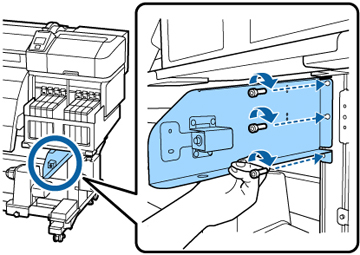
- Position the right bracket for the media guide bar as shown, insert the three screws you removed, and use the large hexagon wrench to tighten them.
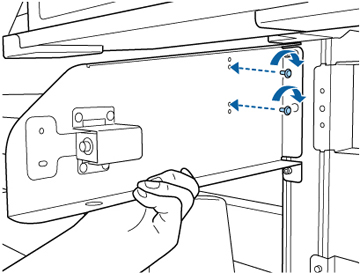
- While supporting the bracket, insert the two screws you removed from the bracket, and use the small hexagon wrench to tighten them.
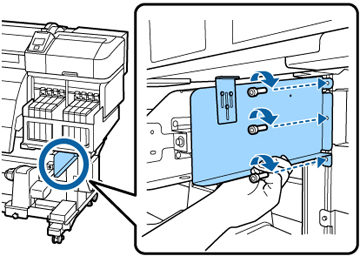
- Position the tank cover holding plate as shown, insert the three screws you removed, and use the large hexagon wrench to tighten them.
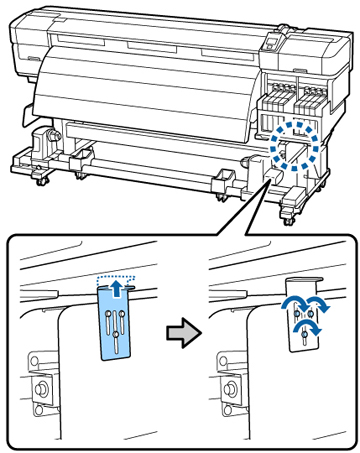
- Lift up the tank cover adjustment plate until it touches the tank cover and tighten the three screws as shown.
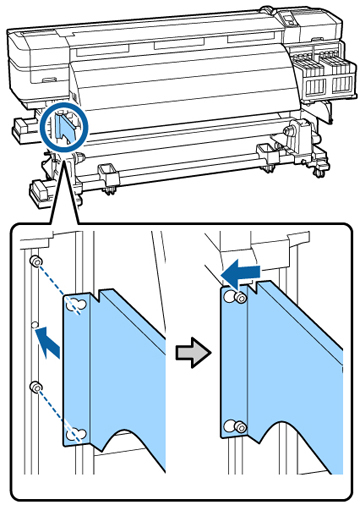
- Attach the left bracket over the loosened screws as shown and slide it to the left.
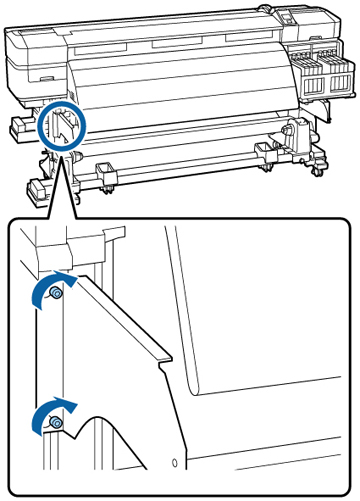
- Using the large hexagon wrench, tighten the two screws securing the left bracket as shown.
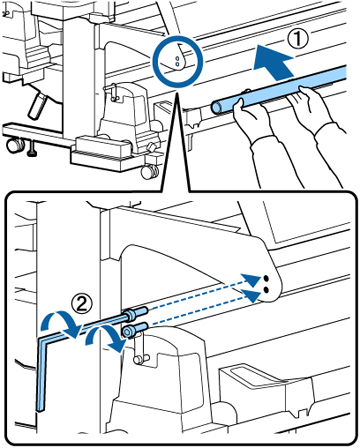
- With one person supporting the media guide bar, and the other using the small hexagon wrench, attach the media guide bar and tighten the four screws securing it on both ends as shown.