If paper has jammed inside the product, follow the steps below to clear the jam.
- Cancel the print job, if necessary.
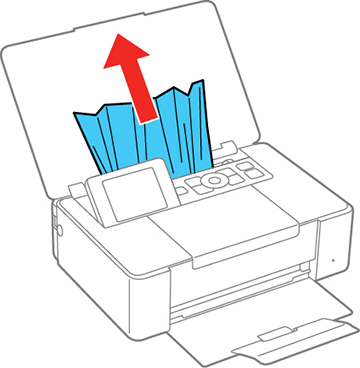
- Remove any jammed paper from the rear paper feed slot.
- If necessary, carefully pull out any jammed paper from the front.
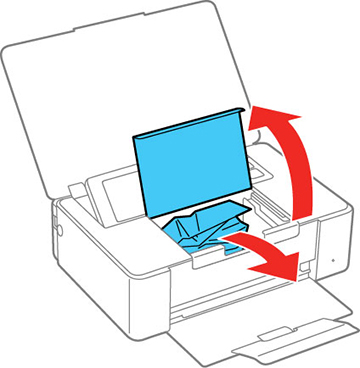
- Open the
inner cover and carefully remove any jammed paper.
Caution:Do not touch the flat white cable inside the printer.
- Close the inner cover.
- Follow the prompts on the LCD screen to clear any error messages.