- In the Apple menu or the Dock, select System Preferences. Select Print & Fax, Print & Scan, or Printers & Scanners, select your product, and select Options & Supplies. Select Utility and select Open Printer Utility.
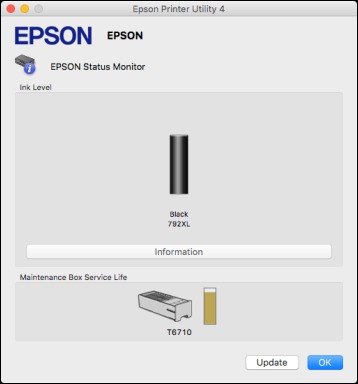
- Select EPSON Status Monitor. You see this window:
- Do the following as necessary:
- You can update the ink cartridge and maintenance box status by clicking Update.
- Replace or reinstall the maintenance box or ink cartridge as indicated on the screen.
Note: If the cartridge installed in the product is broken, incompatible with the product model, or improperly installed, Epson Status Monitor will not display an accurate cartridge status.