If your prints are scuffed or smeared, you can clean around the print head to improve print quality.
Note: Check the
following when cleaning around the print head:
- Remove any paper from the printer before cleaning.
- Always use new cleaning sticks.
- Do not touch the tip of the cleaning stick with your bare hand. The oils from your hand can affect print quality.
- Make sure to touch a metal object to discharge any static electricity before you clean around the print head.
- Do not move the print head by hand.
- Do not touch any parts inside the printer except for the print head, caps, and wipers that you are cleaning.
- Do not wipe the caps with alcohol or other organic solvents.
- Press and hold both the
 maintenance button and the
 power button at the same time.
- When the power light turns on, release the
power button.
- When the Head Maintenance message
appears on the screen, release the maintenance button
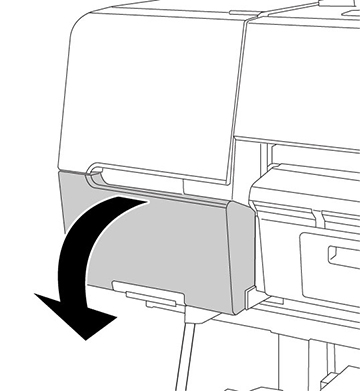
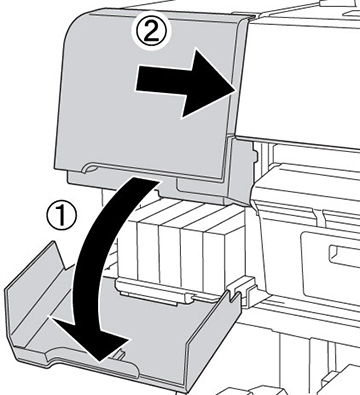
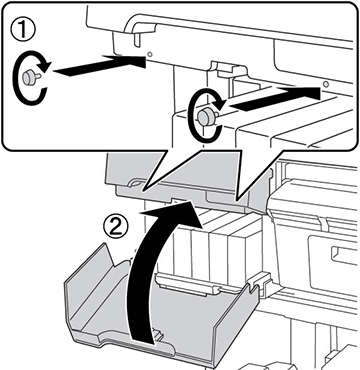
- Open the left ink cartridge cover.
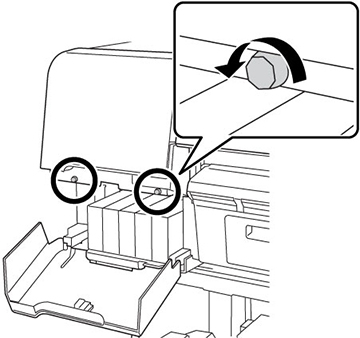
- Remove the thumb screws.
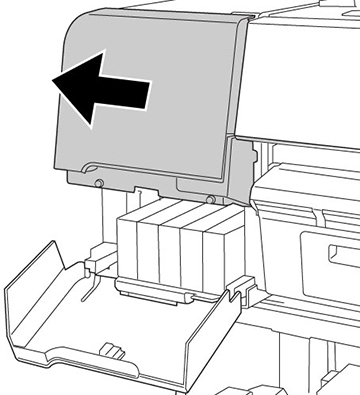
- Slide the upper cover to the left and remove it.
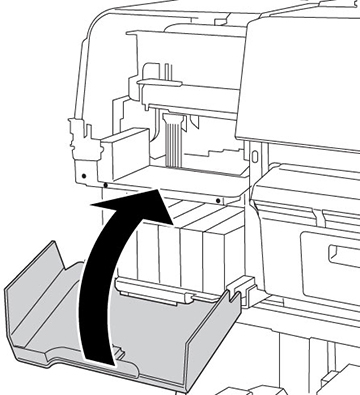
- Close the ink cartridge cover.
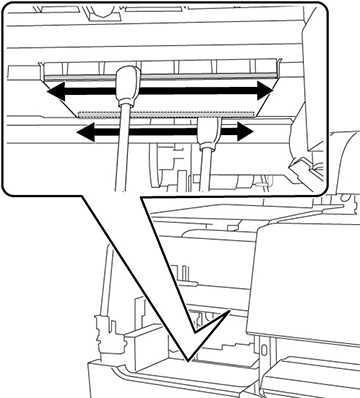
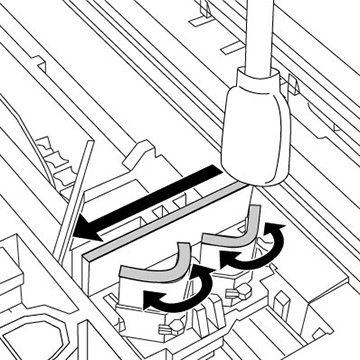
- Use a cleaning stick to clean the
front and back edges on the bottom of the print head.
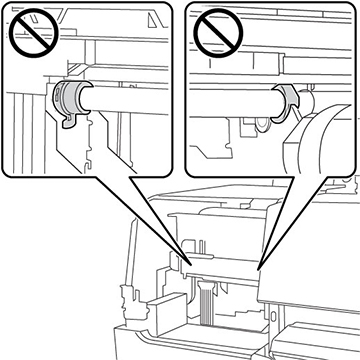
Note: Do not touch the areas shown in the image below or you may damage your product.
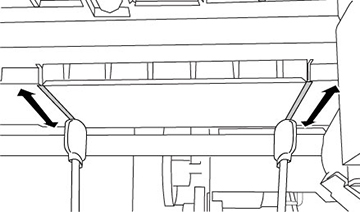
- Use a cleaning stick to clean the gaps
on the bottom of the print head.
Note: Use a mirror if you cannot see the bottom of the print head.
- Open the ink cartridge cover and attach the upper cover.
- Secure the upper cover with the thumb screws and close the ink cartridge cover.
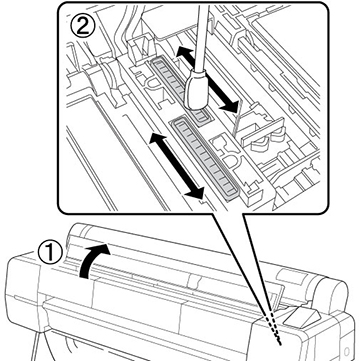
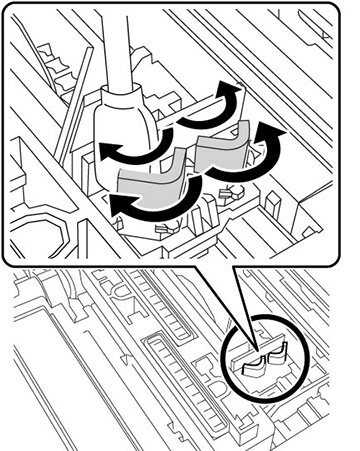
- Open the front cover and use a cleaning stick to clean the top edges of the print head cap.
- Use a cleaning stick to clean the outside of the front print head wipers.
- Use a cleaning stick to clean the outside of the rear print head wiper.
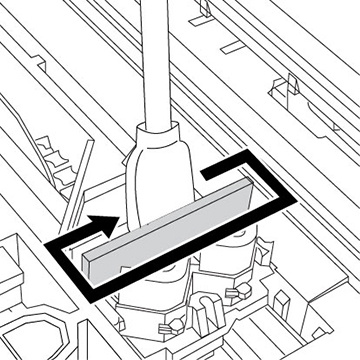
- Use a cleaning stick to clean the top edges of the front and rear print head wipers.