To keep your product working at its best, you should clean it regularly (about once a month).
Note: Do not use a
hard brush, benzene, alcohol, or paint thinner to clean the product
or you may damage it. Do not use oil or other lubricants inside the
product or let water get inside.
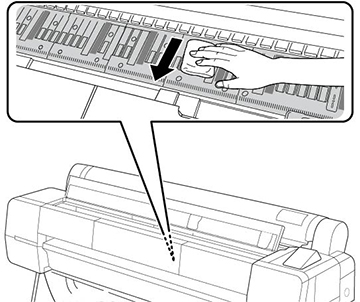
- Gently wipe the light gray areas in
the direction indicated by the arrows.
Note: If you see dust or paper particles on the dark gray areas (the rollers or ink absorption pads), use a cleaning stick to gently clean them. Do not use too much force when cleaning or touch the rollers or the ink absorption pads with your bare hands or your prints may be affected. Do not use cotton swabs to clean these areas.Caution:Be careful not to touch the gears or ink tubes inside the product.
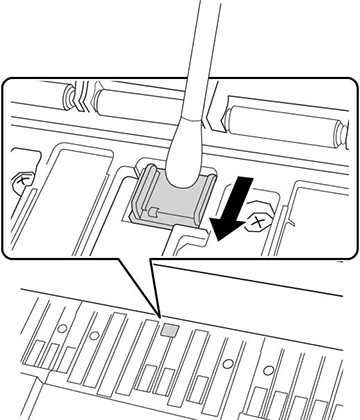
- Use a cotton swab to gently wipe away
any dust or smudges on the sensor. To avoid spreading any dust,
only wipe in the direction indicated by the arrows.
Note: Do not touch the rollers or any metallic parts or your prints may be affected.
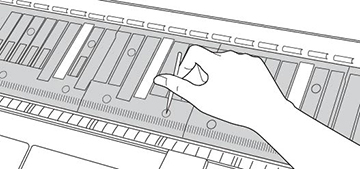
- If paper particles have accumulated in the holes on the platen, use a toothpick or similar tool to push them through.
- Press the
 cut/feed media button, then
press the down arrow button several times to feed blank paper
through the paper path and clean the rollers.
cut/feed media button, then
press the down arrow button several times to feed blank paper
through the paper path and clean the rollers.