Make sure
you have a new maintenance box before you begin.
Caution:
Do not reuse a maintenance box that has
been removed and left uninstalled for more than a week. Keep the
maintenance box away from direct sunlight.
- Remove the new maintenance box from its package.
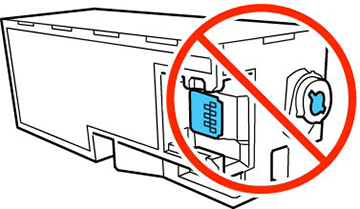
Caution:Do not touch the green chip on the maintenance box. Doing so may prevent normal operation and printing.
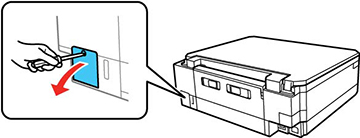
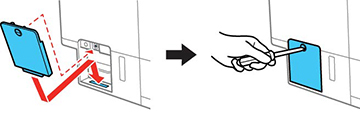
- Using a flat-tipped screwdriver, remove the screw on the maintenance box cover and remove the cover.
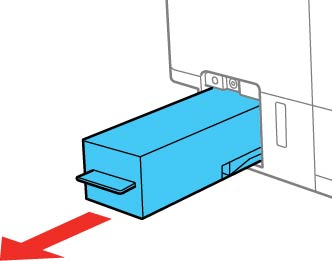
- Remove the used maintenance box.
Note: Do not tilt the used maintenance box or take it apart.Caution:Warning: If ink gets on your skin, wash it thoroughly with soap and water. If ink gets into your eyes, flush them immediately with water. If ink gets into your mouth, spit it out immediately. Keep the maintenance box out of the reach of children and do not drink the ink.
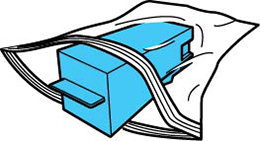
- Place the used maintenance box in the plastic bag that came with the new maintenance box. Seal the bag and dispose of it carefully.
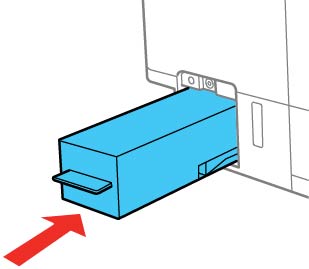
- Insert the new maintenance box and push it all the way in.
- Reattach the maintenance box cover and tighten the screw.
- Press the OK button on the product control panel to resume operation.