You can
connect your watch to a smartphone using Bluetooth. Before you
begin, be sure to download the Epson View app on your smartphone.
Note: Do not
directly connect to your watch from the Bluetooth settings on your
smartphone. The Epson View app will pair your smartphone with your
watch.
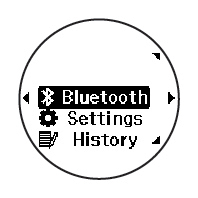
- At the Time screen, press the
 Enter button. You see a
screen like this:
Enter button. You see a
screen like this:
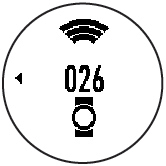
- Select Pairing. Your watch displays a code number you will use for pairing.
- Select your product from the list on
your smartphone, then follow the instructions to pair your watch
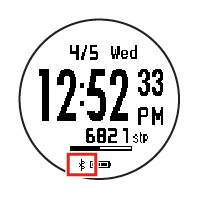
and your phone. When your watch and smartphone are
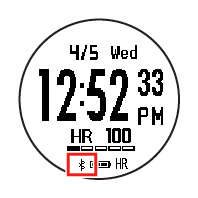
successfully paired, you see a
 Bluetooth icon at the bottom of the
Time screen on your watch. (If the icon is flashing, pairing is not
completed.)
Bluetooth icon at the bottom of the
Time screen on your watch. (If the icon is flashing, pairing is not
completed.)
ProSense 17
ProSense 57