To ensure the accuracy of the measurements taken by your watch, you must position yourself to acquire a strong GPS signal. GPS positioning allows your watch to receive a GPS signal and timing information so it can correctly track your routes, distance, pace, and other workout and activity data.
For increased GPS accuracy, wait at least 15 minutes before starting your workout. You only need to perform this extended GPS calibration the first time you use the watch or if you do not use it for a few months.
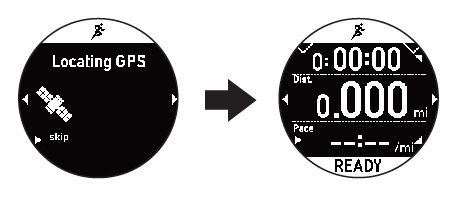
Note: To reduce
the time it takes to locate the GPS signal, you can use the AGPS
feature in the Epson View app on your smartphone. If you keep your
watch connected to your smartphone, your watch automatically
downloads GPS updates once an hour.
When positioning yourself to acquire a GPS signal,
avoid the following environments:
- Inside buildings or rooms, or underground areas or tunnels
- Near high-voltage wires, television towers, tall buildings, tall trees, or overhead electrical wires for trains or buses
- Locations with concentrated electronic interference, such as construction sites and heavy traffic
- Under water or floating on water