When
projecting with multiple projectors, you must adjust the brightness
setting so that all projectors are equally bright. (Even after
adjusting the brightness levels, the brightness of each projector
may not match exactly.)
- Turn on all the projectors and display the same image.
- Press the Menu button.
- Select the ECO menu and press Enter.
- Select Brightness Settings and press Enter.
- Select Normal for the Light Source Mode setting and press
Esc.
Note: If you have set Multi-Projection to On, you cannot change the Light Source Mode setting.
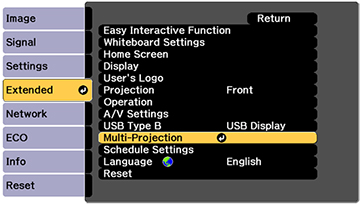
- Select the Extended menu and press Enter.
- Select the Multi-Projection setting and press Enter.
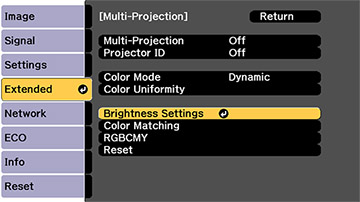
- Select On and press Esc.
- Select Brightness Settings and press Enter.
- Select the Brightness Level setting and press Enter.
- Use the left and right arrow buttons on the remote control to adjust the brightness level.
- Press Esc to return to the previous screen.