Scanned Image Size Does Not Match Print
Size (SureColor T5470M)
If your roll
paper printouts need to match the length of your scanned or copied
files exactly, you can adjust the document feed.
Press the home button, if necessary.
Select Settings > General
Settings > Scan Settings
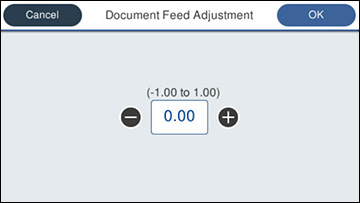
> Scan Options > Document Feed Adjustment. You see a
screen like this:
Tap the adjustment value area to
adjust the value directly, or use the +/- buttons to change the
value. The adjustment value is calculated using the
following formula:
[Length of Original]/[Length of Print
Result]×100-100 with the result rounded at the second
decimal.
For example, if the length of the original is 50 cm, and the
print result is 50.1 cm, the formula would look like:
 home
home