You can
print documents and photos on a variety of paper types and sizes
using the rear paper feed slot.
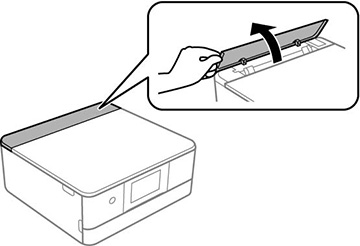
- Open the rear paper feed slot cover.
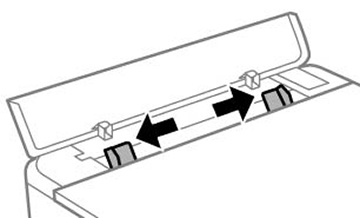
- Slide the edge guides outward
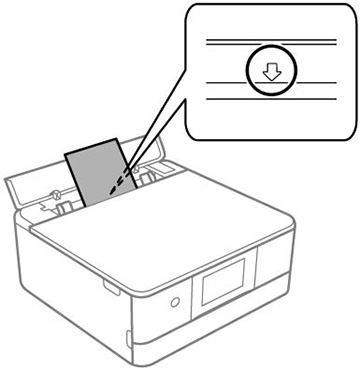
- Do one of the following:
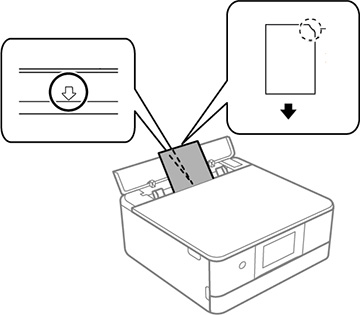
- Insert one sheet of paper, glossy or printable side up and short edge first, centered at the arrow mark.
- Load one envelope centered at the arrow mark. Load it printable side up and flap edge left.
- Load a photo sticker centered at the arrow
mark with the printable side up.
Note: Do not load any loading support sheets into this product.
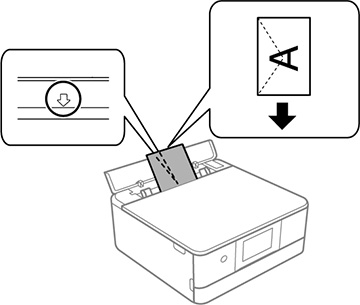
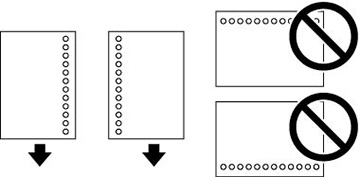
- Load one sheet of loose-leaf or other paper with holes facing as shown.
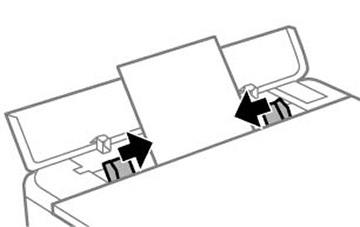
- Slide the edge guides against the paper, but not too tightly.
- If prompted by the product's LCD screen, select the size and type of the paper you loaded.
The output
tray extends automatically when you print.
Always follow these paper loading guidelines:
- Load only the recommended number of sheets.
- Load paper short edge first, no matter which way your document faces.
- Load letterhead or pre-printed paper top edge first.
- Do not load envelopes that are curled, folded, or too thin, or that have plastic windows.
- Check the paper package for any additional loading instructions.