Carefully
follow the steps here to clean the platen and media edge guides to
remove ink, paper particles, and lint. We recommend cleaning these
parts daily.
Caution:
If ink remains on these parts, it could
transfer to your printouts. Continued use of your product with ink,
paper particles, or lint on these surfaces could damage the print
heads or clog the nozzles.
Warning: The
after heater may be hot; take care not to burn yourself as you
clean your product.
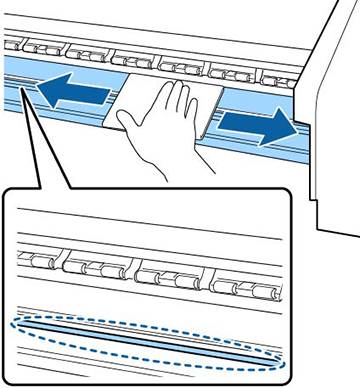
- Using a soft cloth lightly dampened
with water, wipe side to side over the platen to clean it as shown
here. Also remove any lint or dust from the cutter groove in the
platen.
Note: Do not use ink cleaner when cleaning the platen or media edge guides.
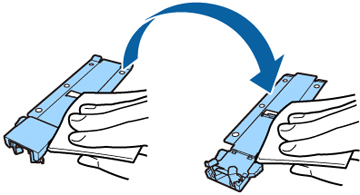
- Using a soft cloth lightly dampened with water, wipe the media edge guides to clean them. If ink or media glue adheres to the media edge guides, remove them and clean both sides as shown here.