Adjusting the Screen Brightness
You can adjust the brightness of the LCD screen.
Press the
home
button, if necessary.
Select
Settings
.
Select
Common Settings
.
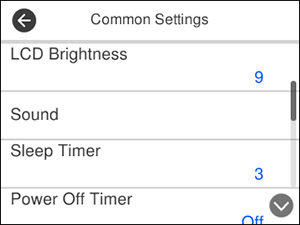
You see a screen like this:
Select
LCD Brightness
.
Press the
–
or
+
icons to decrease or increase the brightness.
Select
OK
to exit.
Parent topic:
Using the Control Panel
 home
home