If an ink
pack is low or expended, a message appears on your product and on
your computer screen. Note which ink packs need to be replaced.
Make sure you have your replacement ink packs handy before you
begin. You must install new ink packs immediately after removing
the old ones.
 help
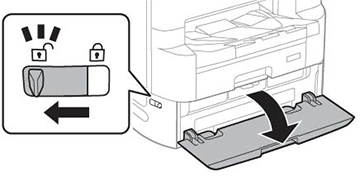
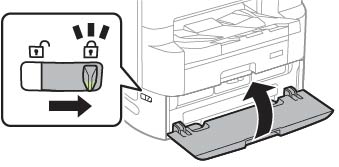
help- Unlock and open the ink pack tray cover.
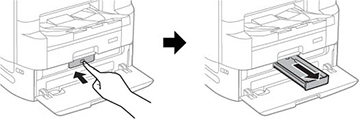
- Press an ink pack tray to release it, then pull the tray out.
- Remove the expended ink pack and dispose of it.
Warning: If ink gets on your skin, wash it thoroughly with soap and water. If ink gets into your eyes, flush them immediately with water. If ink gets into your mouth, spit it out and see a doctor right away. Keep ink packs out of the reach of children.
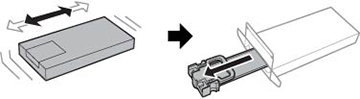
- Shake the new ink pack back and forth 10 times, then
remove it from its packaging.
Note: An initial ink pack used for setup is shown.Caution:Do not touch the green chip on the handle area. Do not remove any labels or seals, or ink will leak.
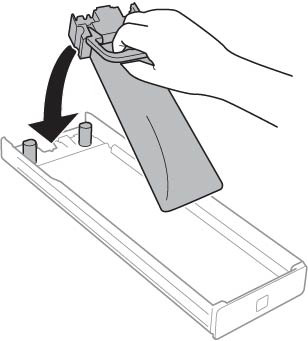
- Place the ink pack in the ink pack tray. Make sure the
holes on the ink pack handle fit over the pegs on the tray.
Note: An initial ink pack used for setup is shown.
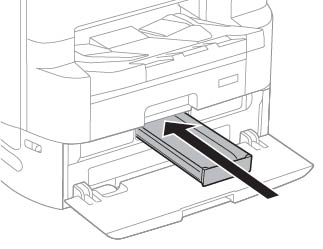
- Insert the ink pack tray into the product.
- Close the ink pack tray cover and lock it.