If you see
smearing or ink on the back of your prints, you may need to replace
the pads for borderless printing. Only replace the borderless pads
in the areas where you notice ink on your prints. You do not need
to replace all of the borderless pads.
You will need a Borderless Replacement Pad Kit (part number C13S400064) to perform the replacement.
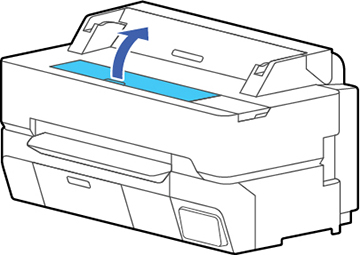
- Open the front cover.
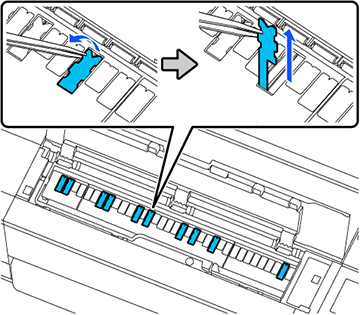
- Using tweezers, pull out the borderless pads in the areas where ink transfer occurs.
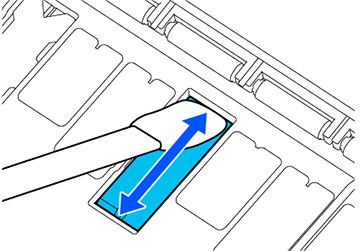
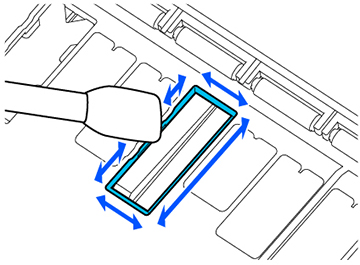
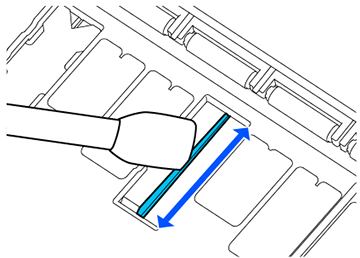
- Use cleaning sticks to wipe off the
accumulated ink in the following locations:
Bottom
Sides
Center groove
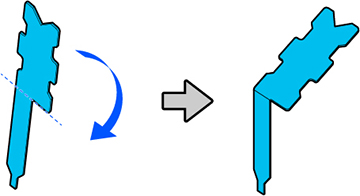
- Bend a new borderless pad as shown
below.
Note: Do not bend the borderless pad except at the designated spot.
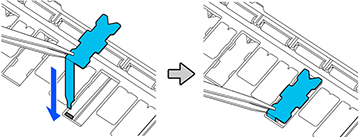
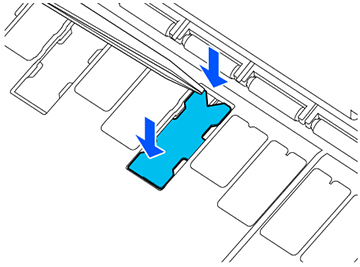
- Insert the leg of the borderless pad all the way into the hole.
- Push the protrusions on the sides of the borderless pad into the grooves on the left and right.
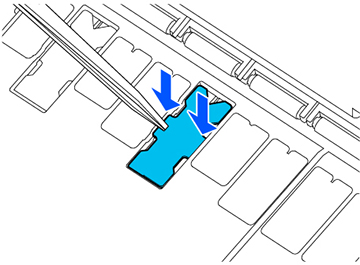
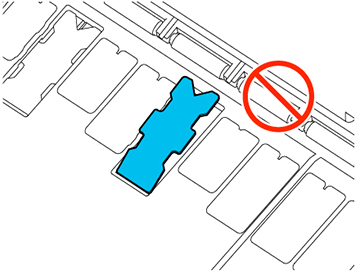
- Gently press the borderless pad until
it is seated in place.
Caution:Make sure that no part of the borderless pad extends above the surrounding surface. The borderless pad may rub against the print head and damage it.