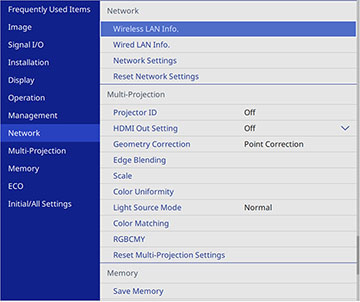
Settings on the Network menu let you view network information and set up the projector for control over a network.
| Setting | Options | Description |
|---|---|---|
| Wireless LAN Info. | Projector Name
Wireless LAN |
Displays wireless network status and details when the wireless LAN module is installed or when the Simple AP setting is disabled |
| Wired LAN Info. | Projector Name
DHCP IP Address Subnet Mask Gateway Address MAC Address |
Displays wired network status and details |
| Wired LAN Info. IPv6 | IPv6 Address (Manual)
IPv6 Address (Auto) |
Displays IPv6 information. |
| Network Settings | — | Configures your network settings |
| EPMC Monitoring Control | EPMC Settings
Export EPMC Settings Import EPMC Settings |
EPMC Settings: Set
the EPMC Monitoring Control
setting to On to communicate
directly with the Epson Projector Management Connected cloud server
without going through the Epson Projector Connected Agent. See the
online Epson Projector Management Connected
Operation Guide for details.
Export EPMC Settings: Exports the settings for Epson Projector Management Connected. Import EPMC Settings: Imports the settings for Epson Projector Management Connected. |
| Transmitter Settings | Start Pairing
Auto Power On Connection Guide Display |
Start Pairing:
Updates the network information of the wireless transmitter from
your computer using the Epson Wireless Transmitter Settings
software when the wireless LAN module is installed and Simple AP is set to On
Auto Power On: Set to On to turn on the projector automatically. This setting is only displayed when A/V Output is set to While Projecting in the projector's Signal I/O menu or when Quick Startup is set to Off in the projector's Operation menu. Connection Guide Display: Set to On to automatically display the connection guide for the wireless transmitter (Epson Wireless Presentation) instead of the Home screen when there is no input signal when you turn on the projector; not available in Content Playback mode |
| Reset Network Settings | — | Resets all settings on the Network menu to their default values |