You can
load originals that meet the document specifications in the input
tray.
Caution:
Do not load photos, valuable original
documents or artwork, directly into the input tray. This may
wrinkle or damage the original. Load these originals using an
optional carrier sheet.
Note: Photos
scanned using a document scanner may not have the same color depth
as the original. Use a flatbed photo scanner with the optional
flatbed scanner dock (DS-530 II/DS-770 II) to achieve
the best color reproduction of photos.
The steps below describe loading originals of the same size. To load originals of multiple sizes at once, see the link at the end of these steps.
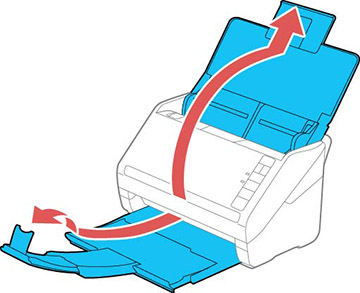
- Pull out the output tray and its
extension, and open the stopper.
Note: If you are loading an original that is 15.5 inches (393.8 mm) or longer, do not pull out the input or output tray extensions and do not open the stopper.
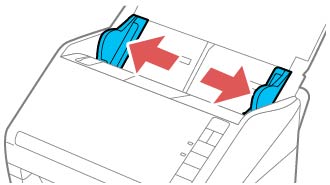
- Slide the input tray edge guides all the way out.
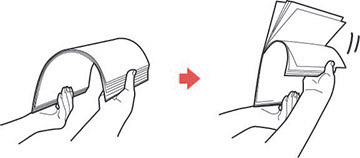
- If you
are loading a multi-page original, fan your stack of
originals.
Note: If you are loading an original that is 15.5 inches (393.8 mm) or longer, load only one sheet at a time.
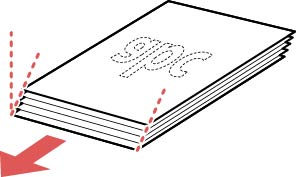
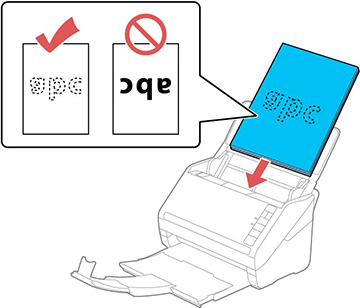
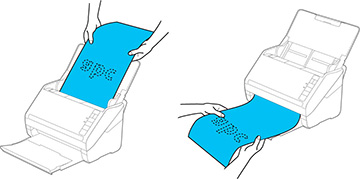
- Stack the originals with the printed side facing down and slide the stack so the leading edge is at an angle as shown.
- Load
standard originals into the input tray printed side down and top
edge first, and guide them in until they meet resistance.
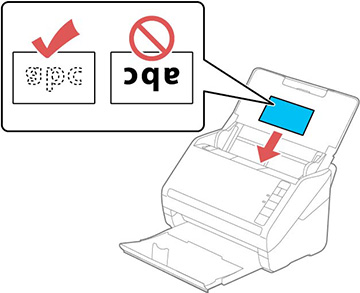
- If you are loading paper business cards, load up to 15 (DS-530 II/DS-575W II) or 30 (DS-770 II) cards printed side down and long edge first into the input tray horizontally, and slide them in until they meet resistance.
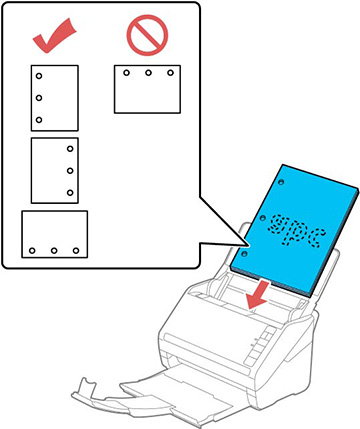
- If you are loading hole-punched originals, load them with the holes facing down or to the side as shown. The holes must be within 1.2 inches (30 mm) of the edge of the originals.
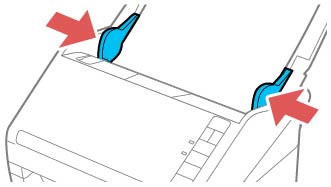
- Slide the edge guides against the edges of the original.
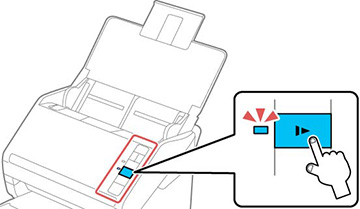
If scanning thin or wrinkled paper causes paper
jams, press the  slow mode button once before scanning to
slow down the feeding speed; press it again to return to normal
speed.
slow mode button once before scanning to
slow down the feeding speed; press it again to return to normal
speed.
slow mode button once before scanning to
slow down the feeding speed; press it again to return to normal
speed.
If a paper feed error is detected, the Paper
Protection feature stops the scanning process automatically to
reduce damage to the original. To change the Paper Protection
detection level, open the Epson Scan 2 Utility, click on the
Scanner Setting tab, and select the
desired level from the Paper Protection drop-down list.
Note: The Paper
Protection feature does not prevent all documents from being
damaged. Paper feed errors may not be detected depending on the
paper feeding conditions.