- In the Apple menu or the Dock, select System Preferences. Select Print & Fax, Print & Scan, or Printers & Scanners, select your product, and select Options & Supplies. Select Utility and select Open Printer Utility.
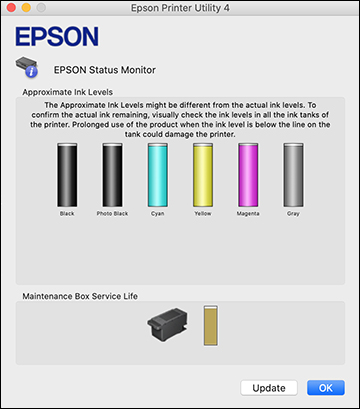
- Select EPSON Status Monitor. You see a window like this:
- Refill any ink tank or
replace the maintenance box as needed.
Note: To update or refresh the displayed ink levels, click Update.