If the print
quality has not improved after aligning the print head and cleaning
the paper path, the paper path inside the product may be smeared
with ink.
- Turn off the product.
- Unplug the power cable.
- Disconnect any connected cables.
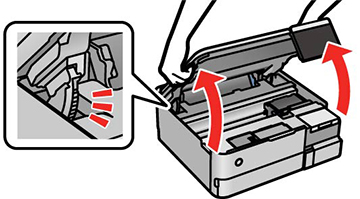
- Open the scanner unit.
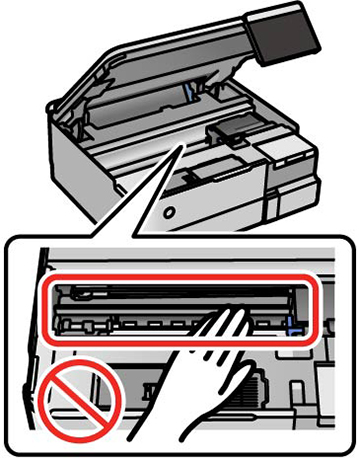
Caution:
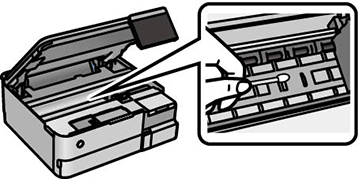
- Use a cotton swab to wipe off ink from the parts inside
the product as shown.
Caution:Do not use tissue to clean the inside of the product; the print head nozzles may become clogged with lint.
- Close the scanner unit.
- Reconnect any disconnected cables, plug in the power cord, and turn on the product.