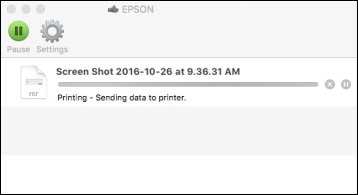
- Click the printer icon when it appears in the Dock. You see the print status window:
- Select
the following options as necessary:
- To cancel
printing, click the print job and click
 or Delete.
 - To pause a
print job, click the print job and click
 or Hold. To resume a print job, click the paused
print job and click
or Hold. To resume a print job, click the paused
print job and click  or Resume.
 - To pause printing for all queued print jobs, click Pause or Pause Printer.
- To display other printer information, click Settings.
- To cancel
printing, click the print job and click