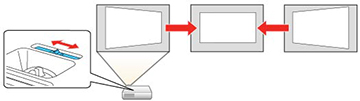
You
can use the projector's horizontal keystone slider to correct the
shape of an image that is unevenly rectangular horizontally, such
as when the projector is placed to the side of the projection area.
You can make effective corrections when the projection angle is about 30º right or left.