You can
connect an authentication device such as an IC card reader using a
USB cable, and check the functionality of the reader using the Web
Config interface.
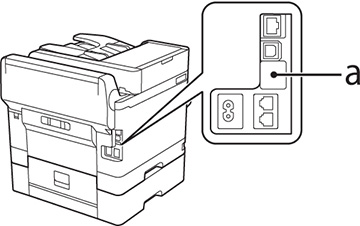
- Remove the sticker covering the service port on the rear of the product.
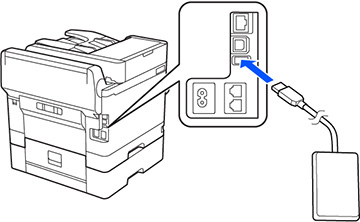
- Connect the card reader’s USB cable to the service port on the product.
- Access Web Config and log
in using the administrator name and password.
Note: You can also check the card reader status on the product control panel by selecting Settings > Authentication Device Status.
- Select Device Management > Card Reader.
- Set the card reader parameters as necessary.
- Select Check to verify the connection status of the
authentication device.
Note: To confirm that the authentication device can recognize an authentication card, hold the card over the reader while you select Check.
- Click Next.
- Click OK to confirm the settings.