Use the arrow buttons to navigate the screen menus, then press the OK button to make a selection.
Press back to return to the previous screen.
 back to return to the
previous screen.
back to return to the
previous screen.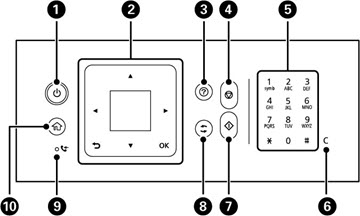
 power
power help
help stop
stop start
start reset
reset received fax
 home
home