If you did not activate your product's email
address for use with Epson Connect when you set up your product,
you can activate it using the product control panel.
- Press the
 home button, if
necessary.
home button, if
necessary.
- Press
the arrow buttons to select Settings, then press the OK button.
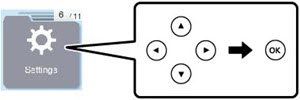
- Press the arrow buttons to select
Epson Connect Services and press the
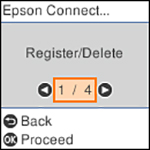
OK button. You
see this screen:
- Press the OK button to select Register/Delete.
- Press the OK button to select Yes.
- Follow the instructions on your screen
to activate your product's email address.