You can
place originals directly on the scanner glass.
Caution:
Do not place heavy objects on the scanner
glass and do not press on the glass with too much force, or it may
damage the scanner. Do not leave photos on the scanner glass for an
extended period, or they may stick to the glass.
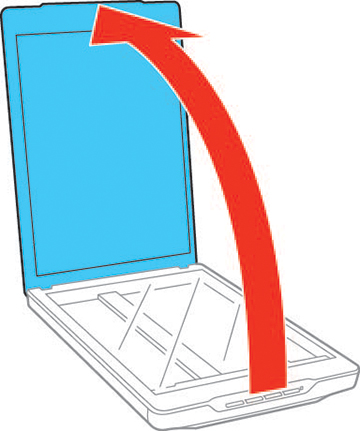
- Open the
scanner cover.
Caution:Be careful not to open the scanner cover beyond its stop point (about 100°), or you may damage it.
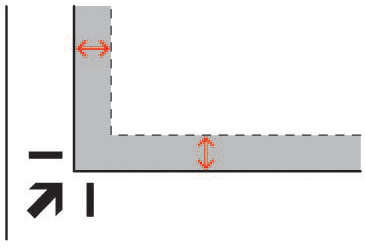
- Place
your original facedown on the scanner glass with the top edge
facing as shown. Slide the original to the edges of the indicated
corner.
Note: When scanning documents (using Auto Mode or Document Mode): You can avoid cropping by moving your original by 0.1 inch (2.5 mm) from the top and side edges.Note: When scanning photos (using Auto Mode or Photo Mode): Place each photo about 0.24 inch (6 mm) away from the edges of the scanner glass. You can scan multiple photos at the same time. Make sure they are at least 0.8 inch (20 mm) away from each other.