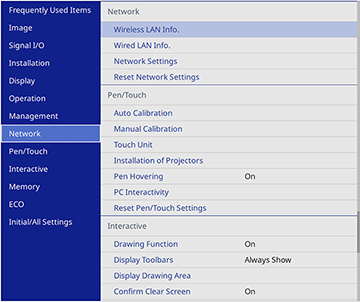
Settings on the Network menu let you view network information and set up the projector for control over a network.
Note: You
must disable Network password protection to adjust the network
settings.
| Setting | Options | Description |
|---|---|---|
| Wireless LAN Info. | Projector Name
Wireless LAN |
Displays wireless network status and details when the wireless LAN module is installed or when the Simple AP setting is disabled |
| Wired LAN Info. | Projector Name
DHCP IP Address Subnet Mask Gateway Address MAC Address |
Displays wired network status and details |
| Network Settings | — | Configures your network settings
Note: If the
Remote Password and the Web Control Password have not been set, a
screen appears prompting you to set them. Enter passwords up to 32
characters long. These passwords are used for accessing the
projector over a network, and you do not need to enter them to
access the Network Settings menu after you set them. |
| Reset Network Settings | — | Resets all settings on the Network menu to their
default values
Note: All of
the passwords for settings in the Network menu will be reset. To
prevent unauthorized users from resetting these passwords, enable
Menu Protection for the Network
menu. |