You may need
to disable your product's Wi-Fi Direct features if you change your
connection type or need to solve a problem with your Wi-Fi Direct
connection.
Press the home icon, if
necessary.
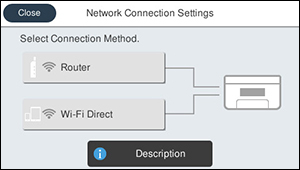
Select the icon. You see a screen
like this:
Select Wi-Fi
Direct.
Select Change.
Select Disable Wi-Fi
Direct.
Select Disable the
settings to disable Wi-Fi Direct.
 home
home icon.
icon.