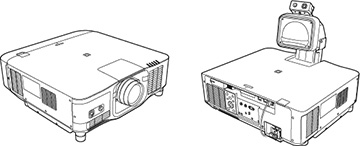
Projector Parts - External Camera

You can attach the optional external camera to the front of the projector or lens. See the external camera manual for the installation method.
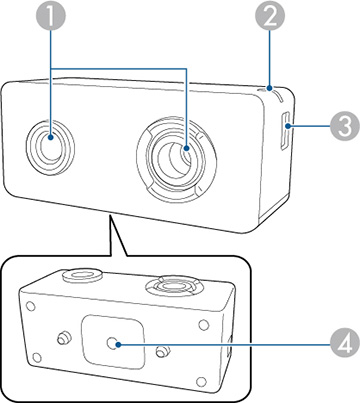


1 Camera lens Takes photos.
Note: Do not use or store the external camera in places where it will be exposed to strong light. Otherwise, burning or malfunction may occur.
2 Indicator light Indicates the external camera's status.
  • Lit: standby
  • Flashing (0.25-second intervals): external camera is malfunctioning
  • Flashing (0.5-second intervals): external camera is operating
  • Flashing (1 second intervals): updating the firmware
3 Micro-USB-B port Connects the supplied USB cable to the projector
4 Screw hole (for installation) Secures the mount for installing the external camera

Example:


Was this page helpful? Yes or No.
Privacy Policy | Your California Privacy Rights | Terms of Use