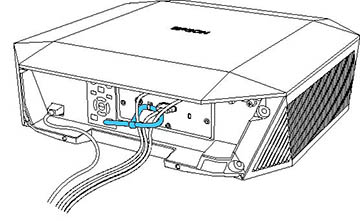
- Bundle the cables together using a band or other fastener (not provided) and pass it through the cable holder as shown.
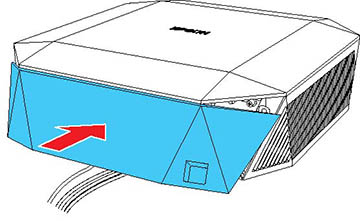
- Place the cable cover on the projector as shown, guiding the cables through the notch on the base of the cable cover.
- Tighten both cable cover screws.
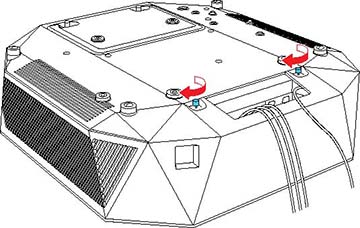
To remove the cover, loosen both screws and pull the cover off of the projector.