- Run up Adobe Illustrator and open an image file.
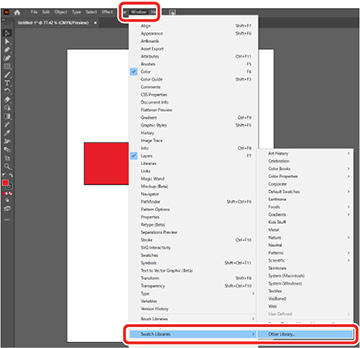
- Click Window > Swatch Libraries > Other Library, then select the file that you
downloaded.
- The application creates a range over the image for applying the
texture pattern.
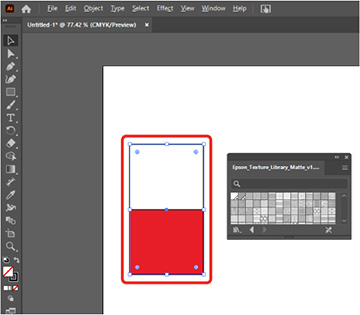
- Select the texture pattern.

- Save the edited file in a PDF format.
- The PDF created in Step 5 can be printed using Epson Edge Print Pro.