|
1.
|
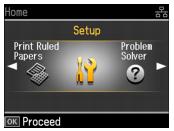
|
2.
|
Press OK.
|
|
3.
|
 or
or  to select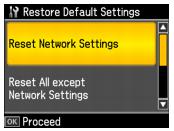
|
•
|
Reset Network Settings to reset all network settings
|
|
•
|
Reset All except Network Settings to reset all settings except for the network settings
|
|
•
|
Reset All Settings to reset all settings
|
|
5.
|
Press OK.
|
|
6.
|