You can use
Epson Print CD to design your disc by importing photos, adding
text, and creating special effects.
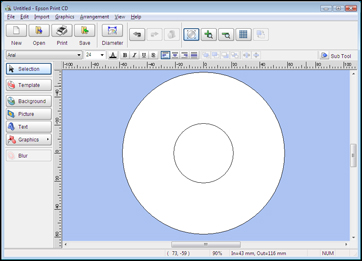
Open the
Print CD program on your computer. You see this screen:
Use the
buttons on the left side of the screen to select a pre-designed
template or add a background image, picture, text, or graphic
elements. For more information, select the Help menu.
When you
are finished creating your design, click Save.